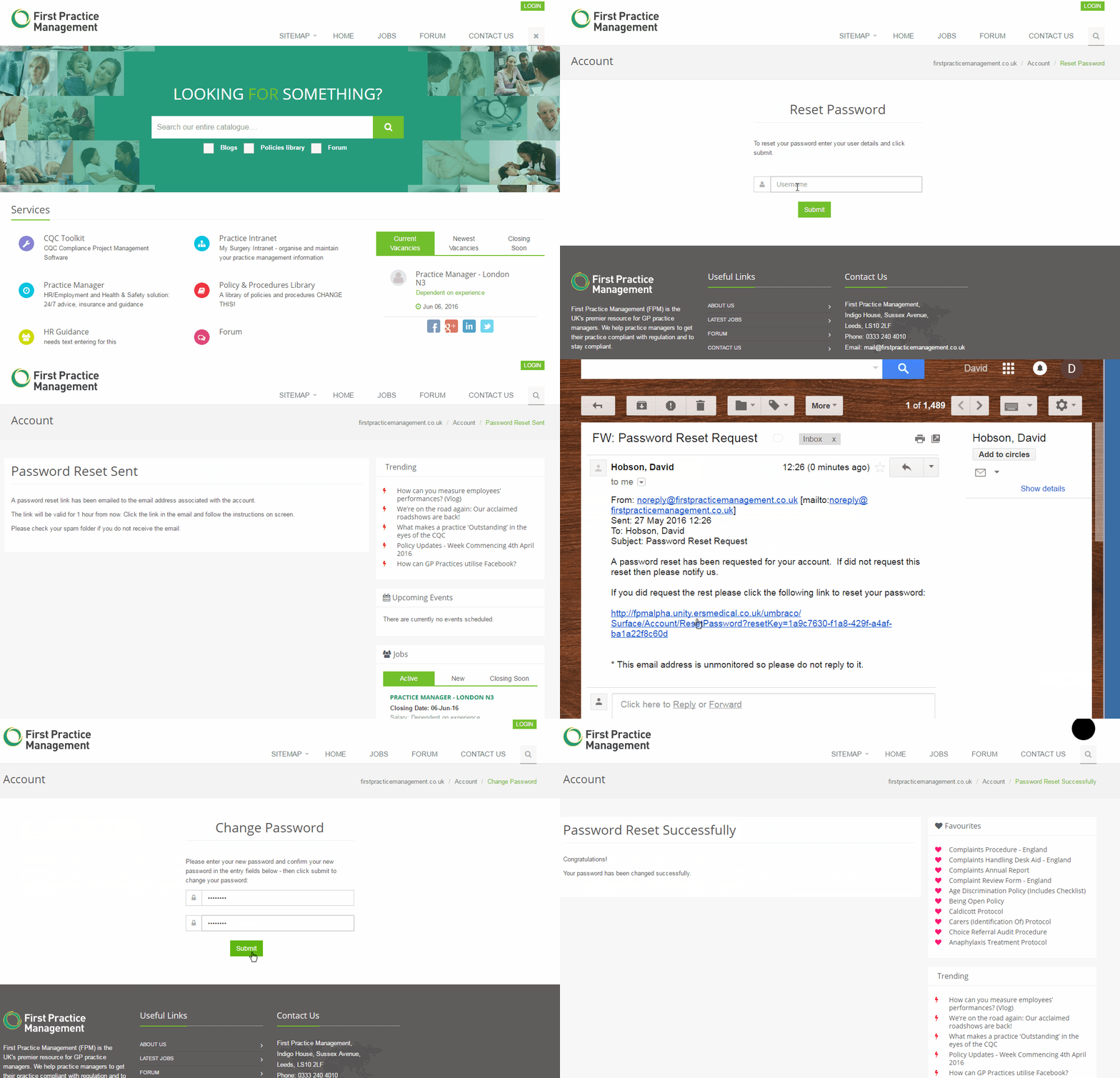
You can reset your password directly on the First Practice Management website. The 4 steps below outline how:
Step One
On the homepage select the "Login" button in the top right hand corner.
Step Two
Select the "click here" link under the "Forget your password ?" heading.
Step Three
Enter your username (email address) and select the "submit" button.
Step Four
You will receive an email with a link for resetting your password. Select the link and then on the screen enter your new password, confirm your password again and select the "confirm" button. You will then receive a message to say you have changed your password.
Demonstration