FPM Compliance Manager: Adding/Importing custom documents
This is a quick guide to show users how to Add/Import custom documents in the FPM Compliance Manager.
In FPM Compliance Manager.
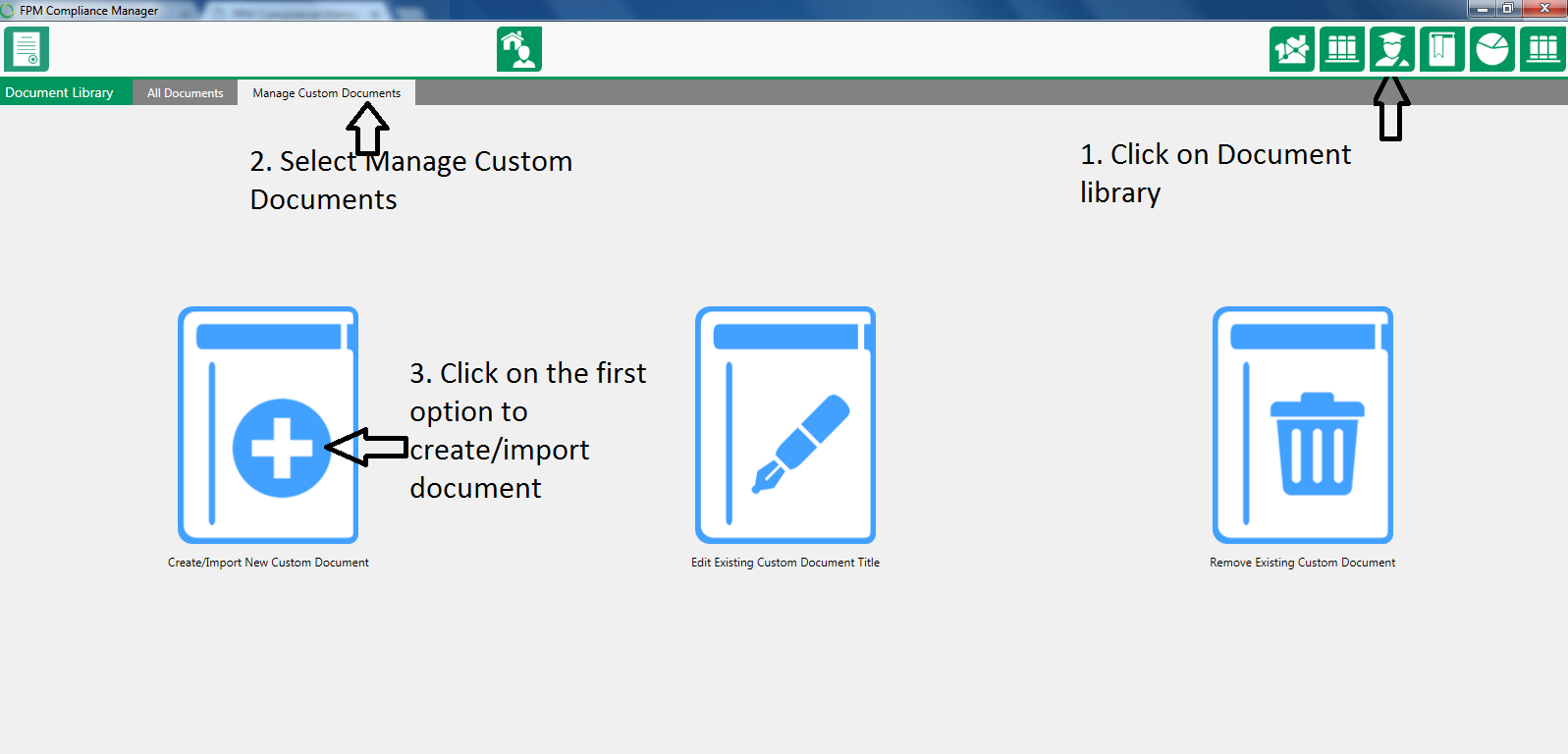
Click on Document Library right hand side.
Then click on Mange Custom documents.
Click on the option to Create/Import new custom document.
You then have two options one to create a blank document or to import a saved document.
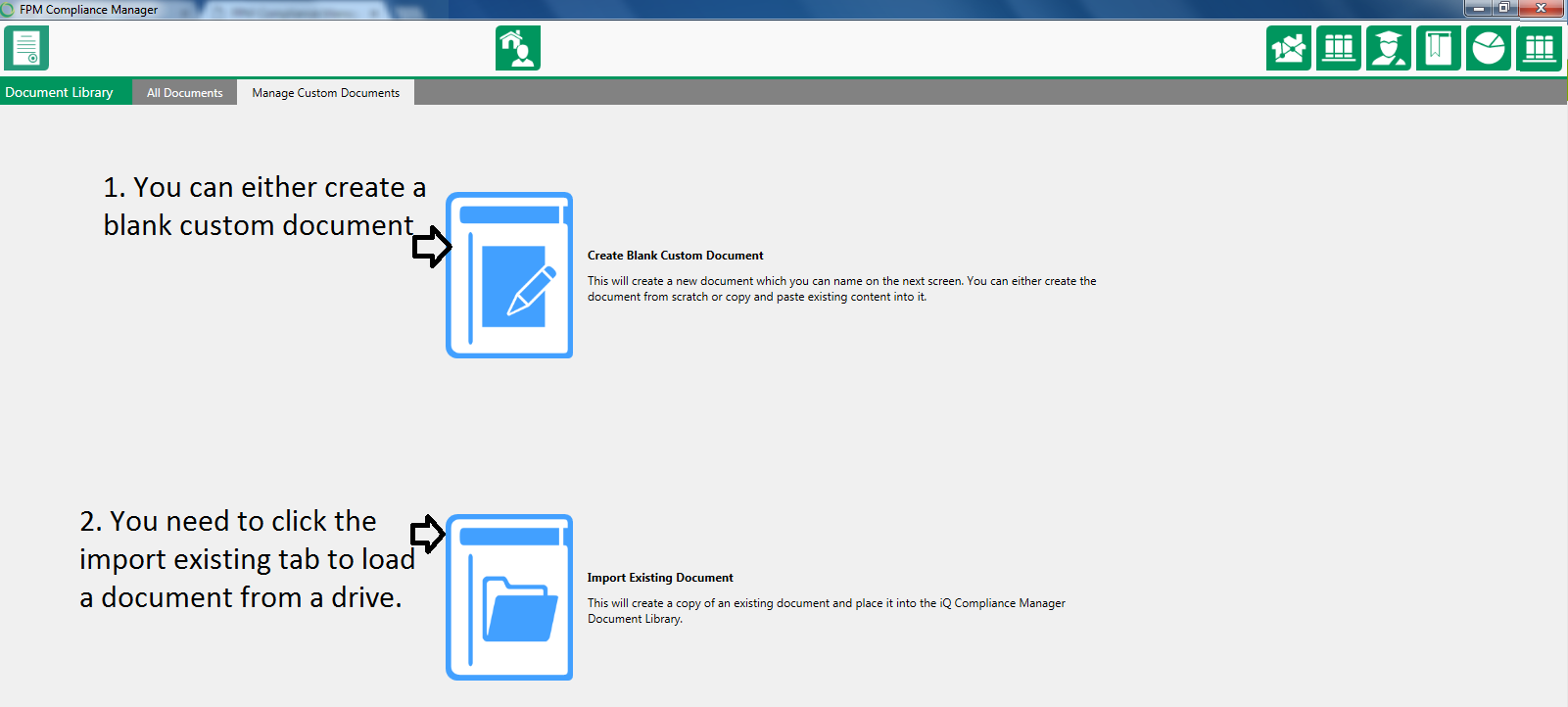
Adding a blank custom document all you do is once you have clicked on the link you need to add a title for the document.

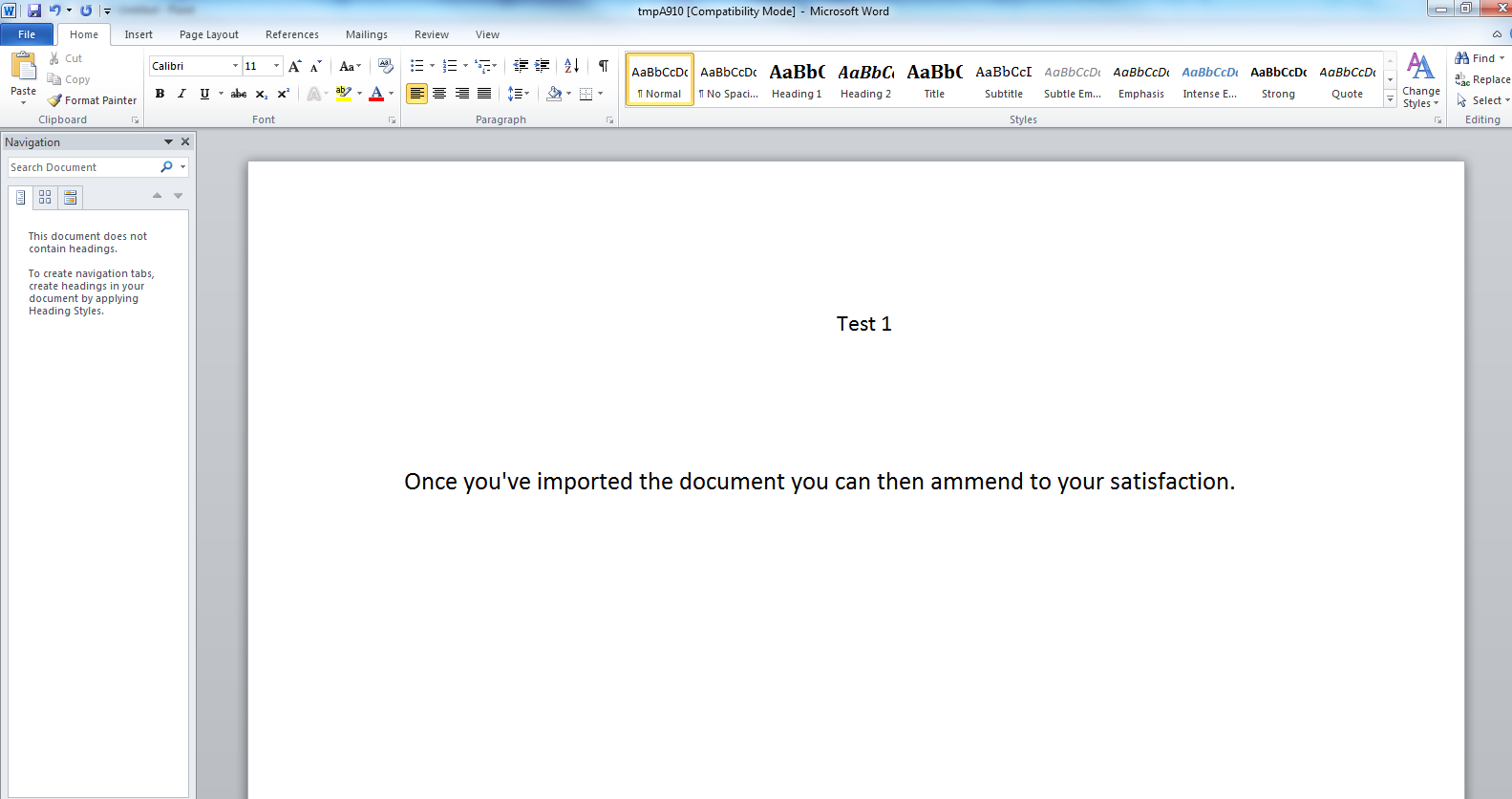
Once you’ve done this a blank word doc will appear which you can then edit to your satisfaction.
To import a custom document click on import existing document.
Then select the document in question you want to import.
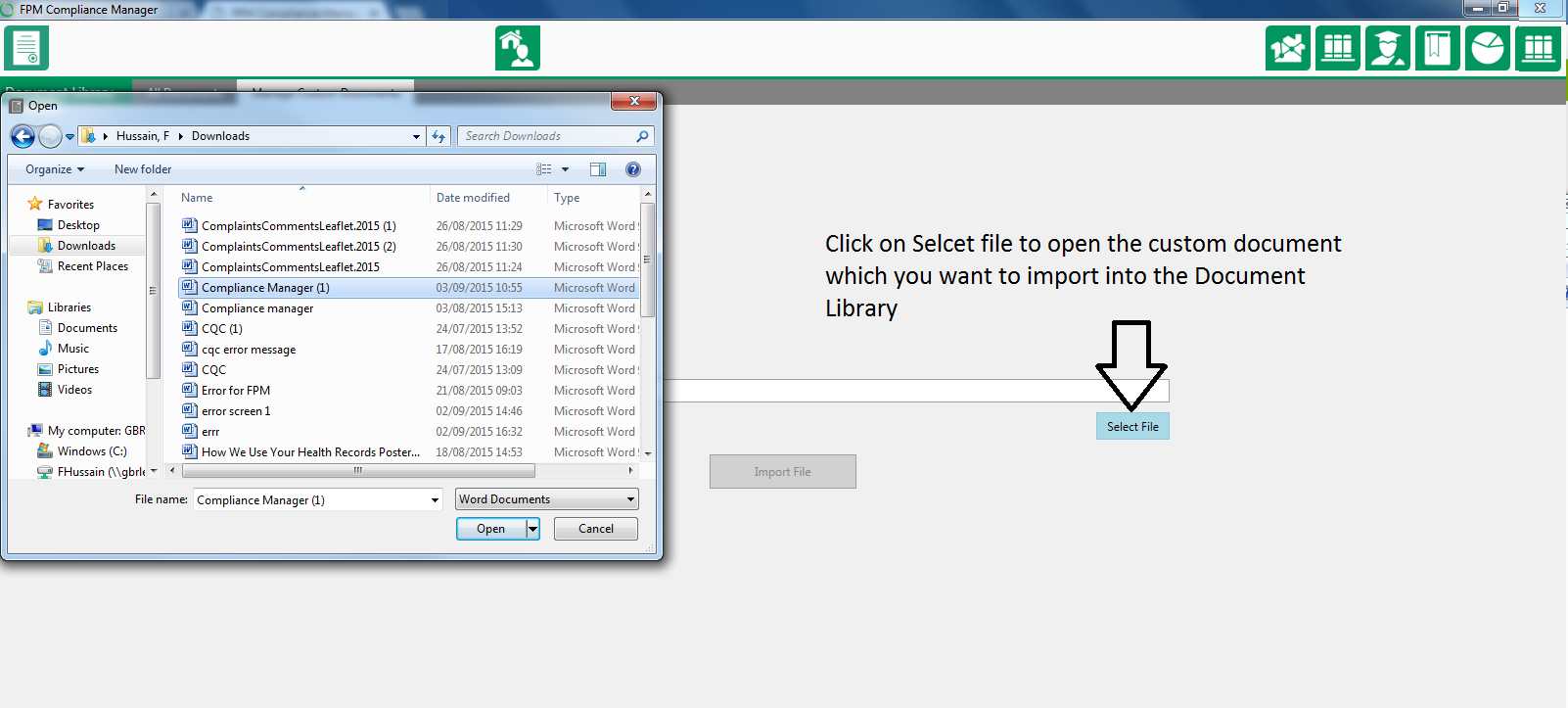
Making sure you have added the title for the document and then click on import file a message should appear to advise the document has been successfully imported.
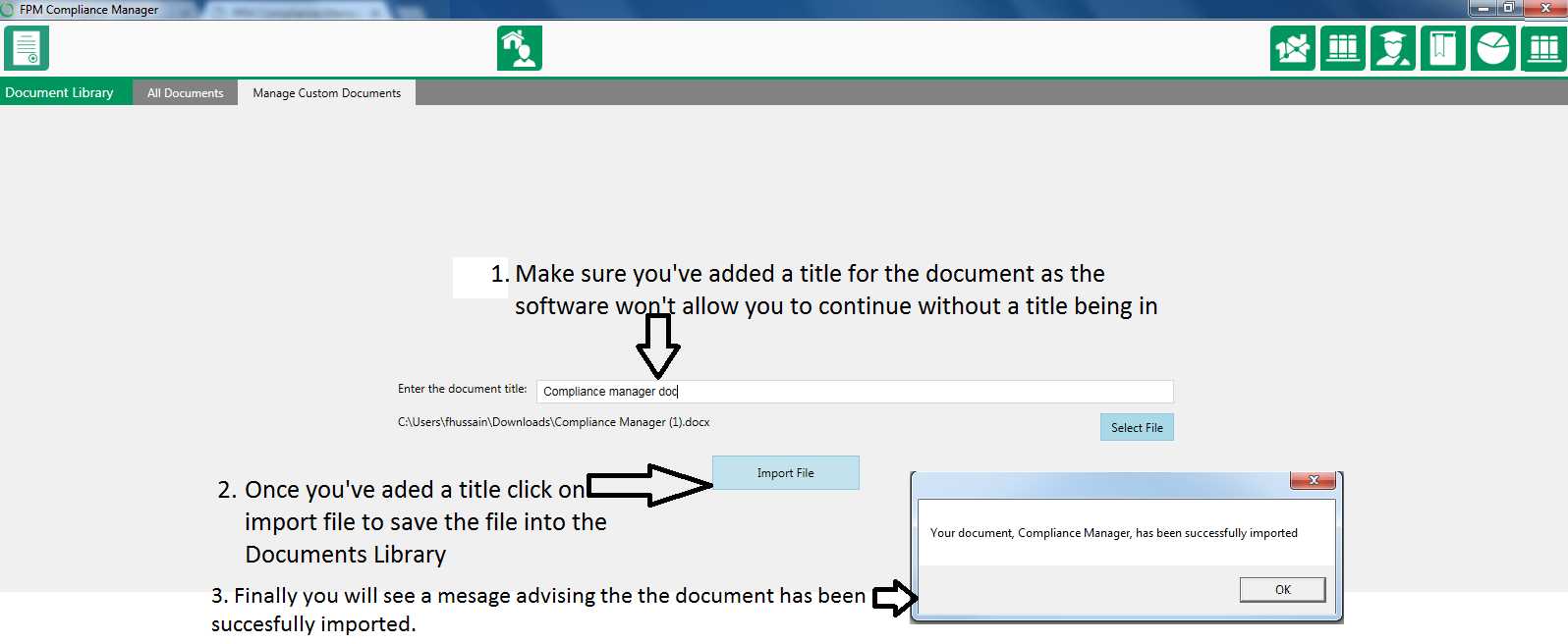
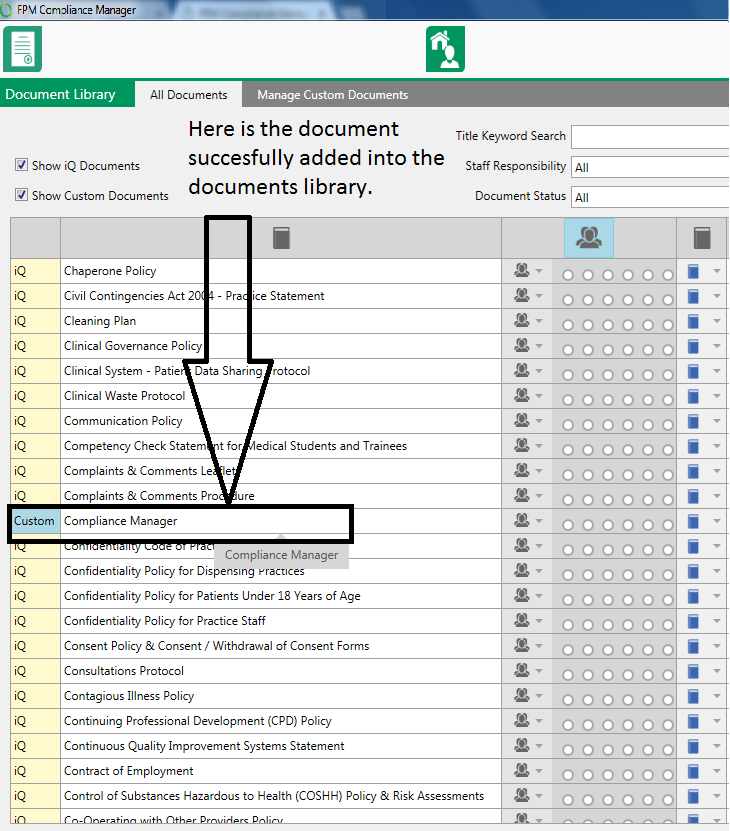
Here is the document showing in the documents library as successfully imported.