Using File Manager
Please note: this article is only applicable to websites built after November 2018.
This article explores how the File Manager tool works. The File Manager allows you to view, upload and delete files held on your website.
In this article:
- Considerations/Prerequisites
- Detail
- Dos and Don’ts
- Common Problems/Mistakes
- Common Questions/FAQs
- Related Articles/See Also
Considerations/Prerequisites
To open the File Manager log in to the website editor and click the grey arrow icon in the top left hand corner. A side menu will appear. The Manage Files tool is found under the orange section.
Detail
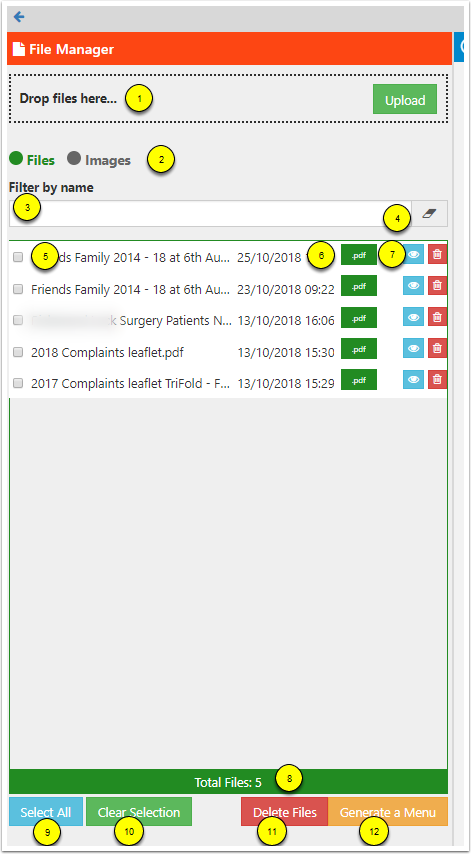
The File Manager displays a list of all the files held on your website.(5)
You can choose whether to view files (ie. PDF or Word documents) or images by using the Files and Images selector buttons near the top (2).
You can search for a file or image name by typing a word into the "Filter by" name field (3). Click the eraser icon to remove this filter again (4).
The file list shows the file name and file type (highlighted in green) (6) and gives you the options to view the file (blue eye icon) or delete the file (red trash can icon) (7).
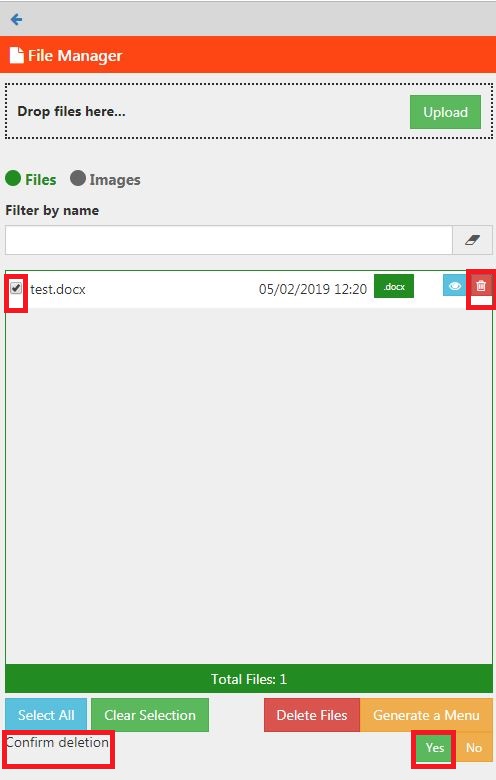
To delete a file
- Click the trash can icon then scroll to the bottom and confirm the deletion by clicking the Yes button.
- You can delete multiple files by ticking the checkbox next to them in the list then clicking Delete Files at the bottom of the list.
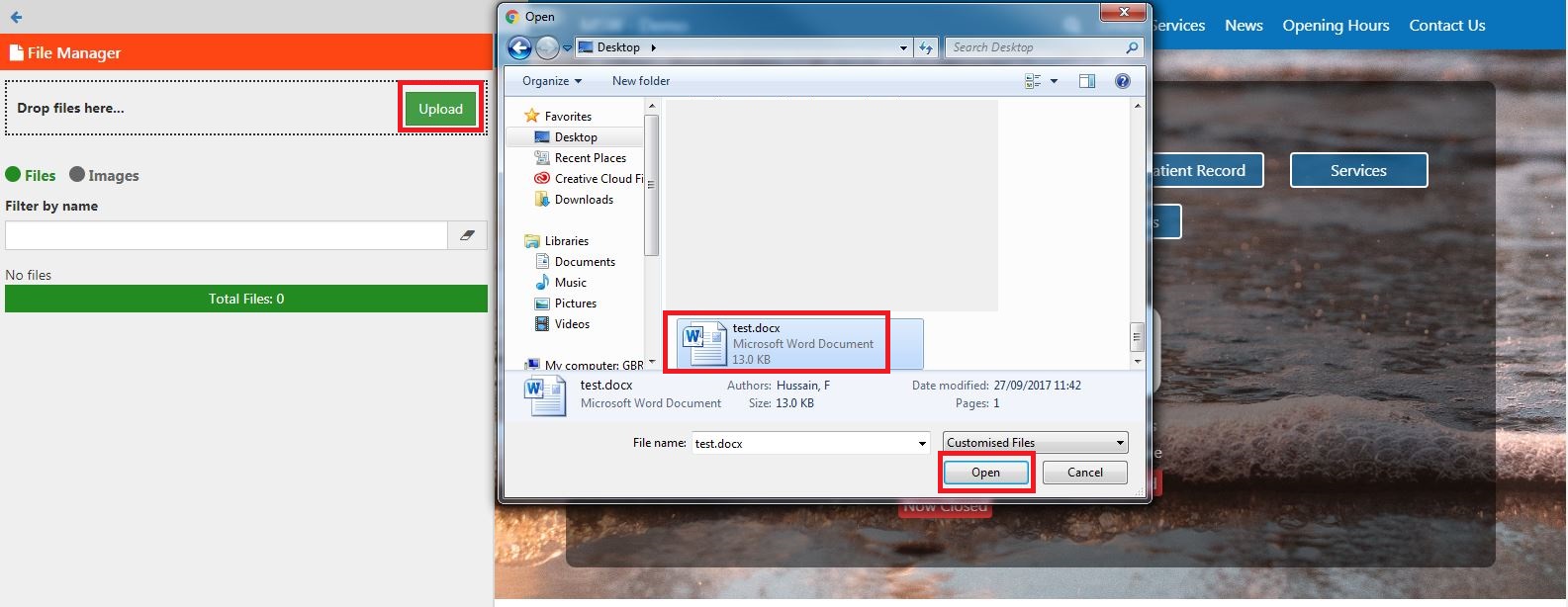
To upload a file
- Either drag and drop the files onto the Upload area or click the green Upload button.(1)
- If using the button a selection window will open. Select the file you wish to upload and click Open.
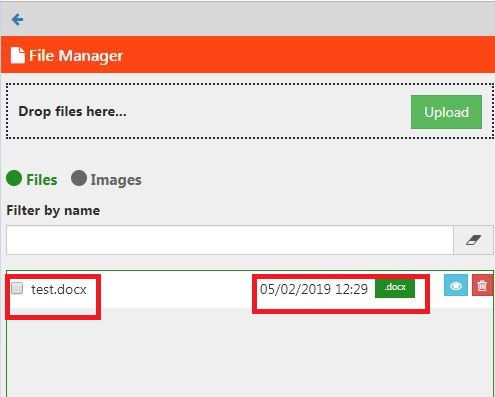
- Your file will be uploaded and added to the list.
Dos and Don’ts
- It is best to upload documents as PDF files as these can generally be opened in the internet browser and don’t require the viewer to have paid software. They are also more accessible and less easily editable.
- Images should be uploaded as either .jpg or .png files for use on the website.
Common Problems/Mistakes
Common Questions/FAQs
Related links/See Also
Keywords/meta tags
file, manage, pdf, word, image, delete, upload